Head Up Display (HUD) Gauge
Also with this gauge you may like to enhance your video, or part of it, with the ‘Head Up Display (HUD)’ avionics derived gauge.
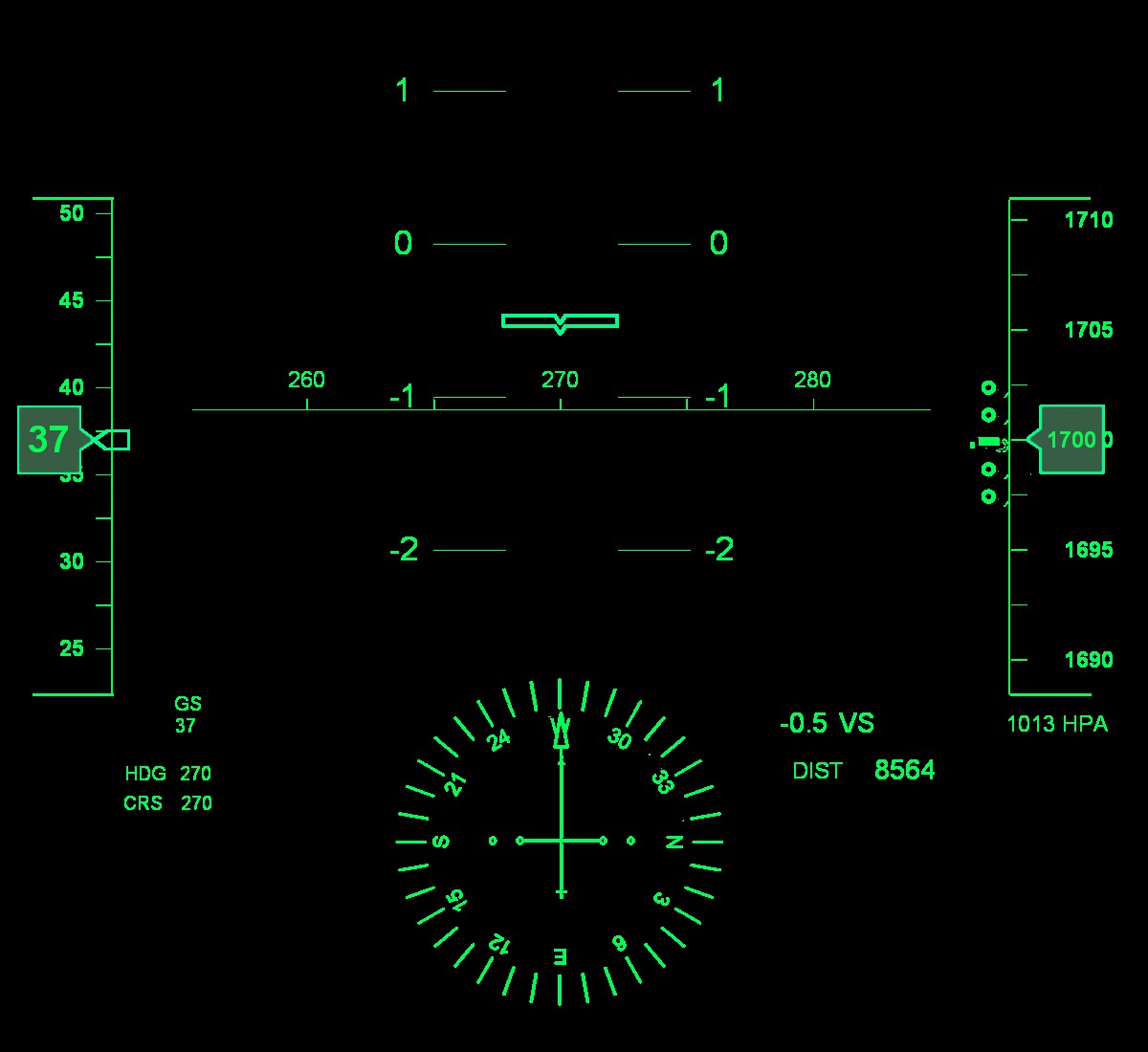
Alignment Tip: When applying the HUD gauge, align the horizontal heading indicator (the line with the numbers 260, 270 and 280) with the horizon. This will result in partly hiding the lower compass (approx one third).
The functionality of this gauge is limited. Values presented are Airspeed (tape on the left), Ground Speed, Heading, Course, Altitude (tape on the right) and Vertical Speed (4 circles left of the altitude tape), the Attitude/Vertical Speed Indicator at the centre, the Heading and Distance from the start (DIST).
Available Gauge
HUD Display
Airspeed, Ground Speed, Heading, Course, Attitude/Vertical Speed Indicator, Altitude and Vertical Speed, and Distance.